Most websites don’t fail at SEO because they lack content or backlinks. They fail because hidden technical, structural, and relevance issues quietly block growth. A Website SEO Audit is how you surface those issues, prioritize fixes, and turn SEO from guesswork into a predictable system.
This guide is written as a practitioner’s playbook — not theory. By the end, you’ll know exactly how to audit any website, what to fix first, and how to turn audit insights into ranking improvements.
What a Website SEO Audit Really Is
A website SEO audit is not a tool report or a list of errors.
A real audit answers four critical questions:
- Can search engines crawl and index the site correctly?
- Does the site clearly demonstrate topical relevance and intent match?
- Is the user experience strong enough to support rankings?
- Does the site have authority signals that justify visibility?
Everything else is noise.
When You Should Run an SEO Audit
You should perform a website SEO audit if:
- Rankings are stagnant or declining
- Traffic isn’t converting despite high impressions
- A redesign or migration happened
- Content is published regularly but doesn’t rank
- Competitors are outranking you with “worse” content
👉 In practice, every serious website should audit itself quarterly.
The Website SEO Audit Framework
A complete audit is broken into six layers. Skipping any one creates blind spots.
| Audit Layer | Purpose |
|---|---|
| Technical SEO | Crawlability, indexation, performance |
| On-Page SEO | Relevance, optimization signals |
| Content Audit | Quality, intent, depth |
| Site Architecture | Internal linking & structure |
| Off-Page SEO | Authority & trust |
| UX & Conversion Signals | Engagement & usability |
Let’s break each one down.
1. Technical SEO Audit (Foundation First)
Technical SEO decides whether your site is eligible to rank.
Crawlability & Indexation Checks
Audit the following:
- Robots.txt blocking important pages
- Noindex tags accidentally applied
- Canonical conflicts
- Orphan pages (no internal links)
- Duplicate URLs (HTTP/HTTPS, www/non-www)
Rule of thumb:
If Google can’t crawl it cleanly, nothing else matters.
Core Performance & Speed Signals
Check:
- Page load speed (mobile first)
- Large unoptimized images
- Excessive scripts and render-blocking CSS
- Server response time
Slow sites don’t just frustrate users — they cap ranking potential.
Mobile & HTTPS Validation
- Mobile-first usability issues
- Touch elements too close
- Broken layouts
- HTTPS errors or mixed content
Google evaluates your site as a mobile experience, not desktop.
For more insights on this topic, check out our full guide here – Technical SEO Blueprint: A Proven Step-by-Step Optimization Guide.
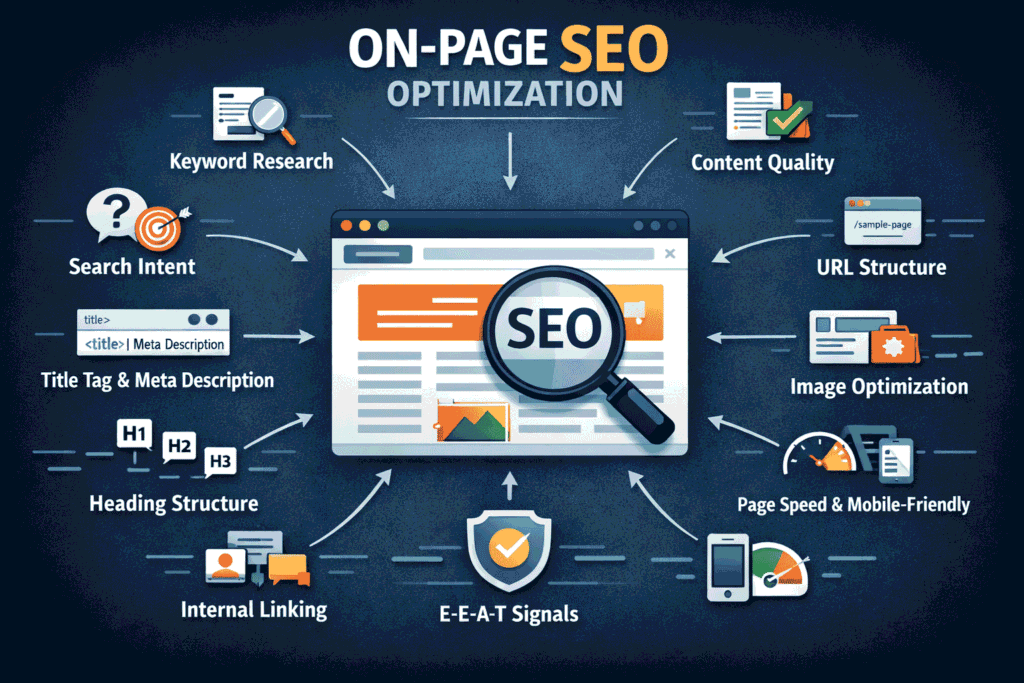
2. On-Page SEO Audit (Relevance Signals)
On-page SEO tells search engines what each page is about.
Title Tags & Meta Descriptions
Audit for:
- Missing or duplicated titles
- Titles without primary keywords
- Over-optimized or spammy phrasing
- Weak click-through appeal
Good titles = relevance + intent + curiosity
Header Structure (H1–H6)
Check:
- One clear H1 per page
- Logical H2/H3 hierarchy
- Headers matching search intent
- No keyword stuffing
Headers guide both users and crawlers.
URL & Keyword Alignment
- Clean, readable URLs
- One primary keyword focus per page
- Supporting keywords used naturally
- Avoid cannibalization between pages
If multiple pages target the same keyword → you dilute rankings.
For more insights on this topic, check out our full guide here – On-Page SEO: The Complete Step-by-Step Optimization Guide
3. Content Audit (The Ranking Engine)
Content is where most sites fail — not because it’s “bad,” but because it’s misaligned.
Content Quality & Intent Match
For each page ask:
- Does it fully solve the user’s problem?
- Is the intent informational, commercial, or navigational?
- Is the depth comparable or superior to top results?
Longer isn’t better. Clearer is.
Thin, Duplicate & Outdated Content
Flag content that is:
- Underdeveloped
- Repetitive across pages
- No longer accurate
- Published but never updated
Action options:
- Improve
- Merge
- Redirect
- Remove
Every page should earn its place.
For more insights on this topic, check out our full guide here – Content Optimization: The Ultimate Guide to Higher Rankings
4. Site Architecture & Internal Linking Audit
Structure determines how authority flows.
Internal Linking Analysis
Check for:
- Important pages buried too deep
- Pages with zero internal links
- Over-optimized anchor text
- Broken internal links
Strong internal linking = faster indexing + higher rankings.
Logical Content Clustering
Audit whether content is:
- Organized by topic
- Supporting a clear pillar page
- Internally reinforcing authority
Random blogs don’t build authority.
Structured knowledge hubs do.
5. Off-Page SEO & Authority Audit
Backlinks still matter — but quality beats quantity.
Backlink Profile Review
Analyze:
- Referring domain quality
- Anchor text distribution
- Toxic or spam links
- Sudden link spikes or drops
Red flags include:
- Exact-match anchor abuse
- Links from irrelevant sites
- Paid link footprints
Brand & Trust Signals
Check for:
- Branded search presence
- Consistent NAP (for businesses)
- Mentions without links
- Social & credibility signals
SEO rewards real brands, not just optimized pages.
For more insights on this topic, check out our full guide here – Understanding Backlinks & Off-Page SEO: The Complete Authority-Building Guide
6. UX & Conversion Signal Audit
Google watches how users behave.
Audit:
- Bounce rates on key pages
- Time on page vs content length
- Clear CTAs and next steps
- Readability and layout
A page that ranks but doesn’t engage won’t stay ranked.
Turning Audit Data into an Action Plan
An audit without prioritization is useless.
SEO Audit Prioritization Matrix
| Impact | Effort | Action |
|---|---|---|
| High | Low | Fix immediately |
| High | High | Plan strategically |
| Low | Low | Optional |
| Low | High | Ignore |
Focus on blocking issues first, then growth opportunities.
Common Website SEO Audit Mistakes
| Wrong approach | Correct approach |
|---|---|
| Running tools only | Interpreting data strategically |
| Fixing everything at once | Prioritizing impact |
| Chasing scores | Improving real signals |
| Ignoring intent | Matching search behavior |
Website SEO Audit Checklist (Quick Reference)
- ✔ Crawl & indexation validated
- ✔ Site speed optimized
- ✔ Mobile usability clean
- ✔ Titles & headers optimized
- ✔ Content intent aligned
- ✔ Internal links structured
- ✔ Backlinks reviewed
- ✔ UX engagement improved
Practical Takeaways
- SEO audits are diagnostic tools, not reports
- Technical issues block everything else
- Content must match intent, not just keywords
- Structure amplifies authority
- Fix high-impact issues first
Final Thoughts
A Website SEO Audit is how you turn SEO from hope into control.
Done right, it reveals:
- Why your site isn’t ranking
- What to fix first
- Where growth will come from next
Treat your audit as a strategy document, not a checklist — and rankings follow.
Frequently Asked Questions About Website SEO Audits
What is a website SEO audit?
A website SEO audit is a complete evaluation of a website’s technical setup, on-page optimization, content quality, user experience, and backlink profile to identify issues that affect search engine rankings.
Why is a website SEO audit important?
An SEO audit helps uncover hidden problems that block rankings, reduce organic traffic, and hurt conversions. It provides a clear roadmap to improve visibility, performance, and long-term SEO growth.
How often should you perform an SEO audit?
Most websites should perform a full SEO audit every 3–6 months. Audits are also essential after major changes like redesigns, migrations, or sudden traffic drops.
What does a complete SEO audit include?
A complete SEO audit includes technical SEO checks, on-page optimization review, content quality analysis, internal linking evaluation, backlink profile assessment, and user experience analysis.
How long does a website SEO audit take?
An SEO audit can take anywhere from a few hours for small websites to several days for large or complex sites, depending on size, structure, and depth of analysis.
Can I do an SEO audit myself?
Yes, you can perform a basic SEO audit yourself by checking technical issues, content optimization, and site structure. However, advanced audits often require experience and specialized SEO tools.
What are the most common SEO audit issues?
Common SEO audit issues include slow page speed, indexing problems, duplicate content, poor internal linking, missing meta tags, thin content, and low-quality backlinks.
Does an SEO audit improve rankings?
An SEO audit itself does not improve rankings, but implementing the recommendations from the audit can significantly improve search visibility, traffic, and rankings over time.
What tools are used for a website SEO audit?
SEO audits commonly use tools for crawl analysis, performance tracking, keyword evaluation, backlink analysis, and user behavior insights to identify optimization opportunities.
What should I fix first after an SEO audit?
Always fix high-impact technical issues first, such as crawl errors, indexing problems, and speed issues. After that, focus on content optimization, internal linking, and authority-building improvements.